Appearance
Internal HDD installation
Here you'll setup the internal HDD for installation of a Linux distro.
WARNING
This shit is fucking slow on an HDD.
However, if you have swapped your internal HDD for an SSD, this doesn't apply. Check available PS4 storage before proceeding. Leave sufficient free space.
FIle preparation
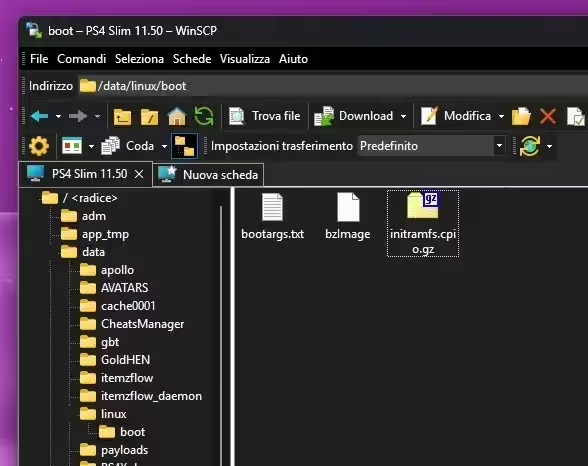
FTP to your PS4. Go to the /data/ folder, and create the folder /linux/boot/ and place your bzImage (and bootargs.txt if you have it) and initramfs in there.
Then, go to /user/system/, create a folder called boot, and paste your distro in there. Remember that it needs to be called psxitarch.tar.gz or xz.
When installed, you can remove your Linux installation by removing the above files, and the "linux.img" found in /user/home/ folder. Just in case you realize I was correct.
Launching Linux Rescue Shell
After that, either launch your payload with a payload website to load them, or use "Payload Guest" app if the website doesn't work for you.
TIP
Remember that the amount of VRAM you allocate is taken from your system memory! For a 2GB of VRAM payload, you'd have 8-2 = 6GB of remaining system RAM! You aren't creating memory out of thin air.
Payload website hosts
Firmware 7.00 - 13.00
WARNING
You MUST use a 1GB VRAM payload for installation and first boot. Afterwards, 2GB is recommended.
Follow these steps:
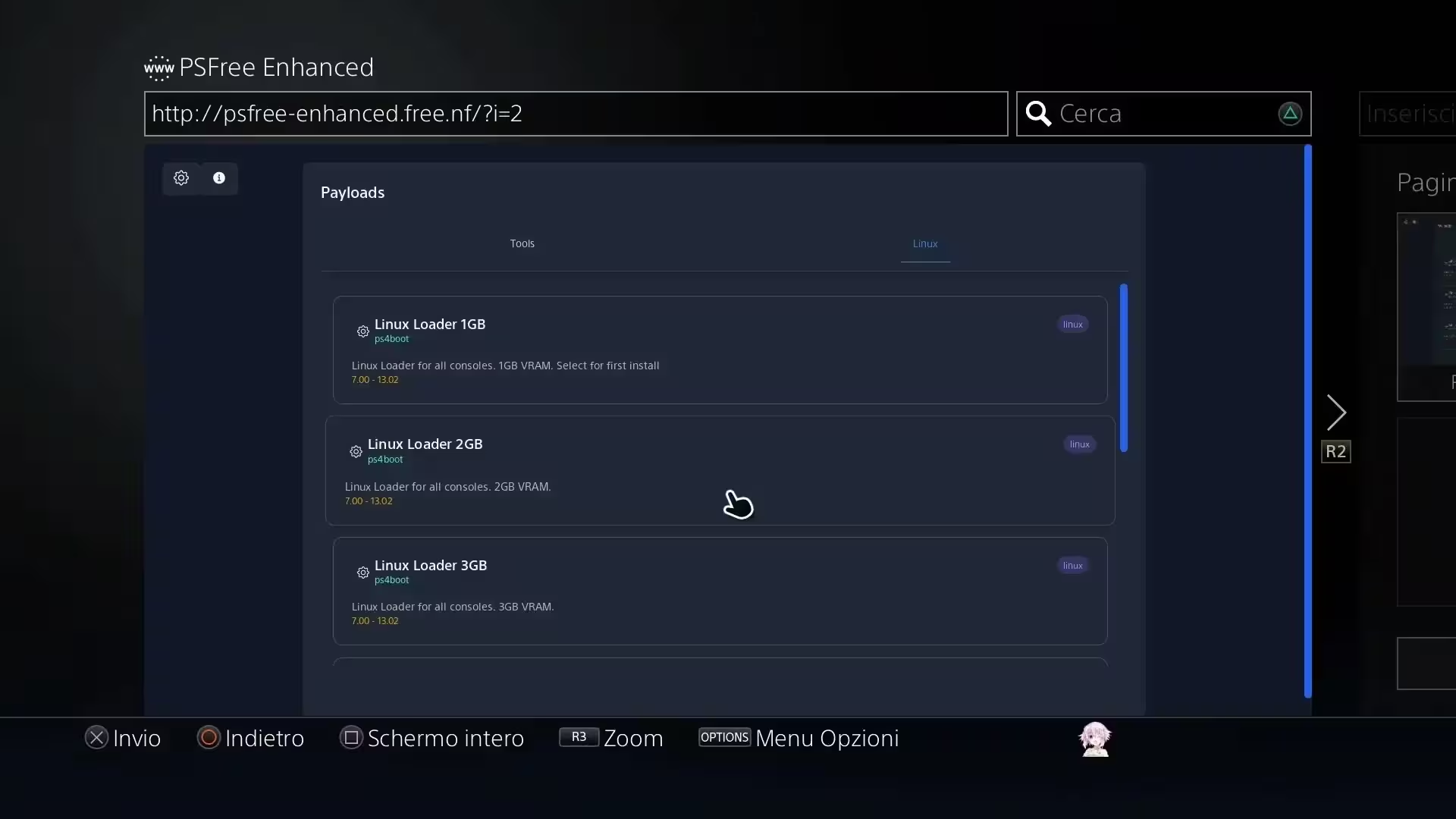
- Go to psfree-enhanced.free.nf
- Select Linux tab at the top center
- Wait for the cache to finish installing!
- Load your desired payload
- Again, 1GB is necessary for first time installation!
- If you use the PS4 as a server after installation, switch to one of the server payloads for more system RAM.
Alternative website (FW 5.05+)
WARNING
You MUST use a 1GB VRAM payload for installation and first boot. Afterwards, 2GB is recommended.
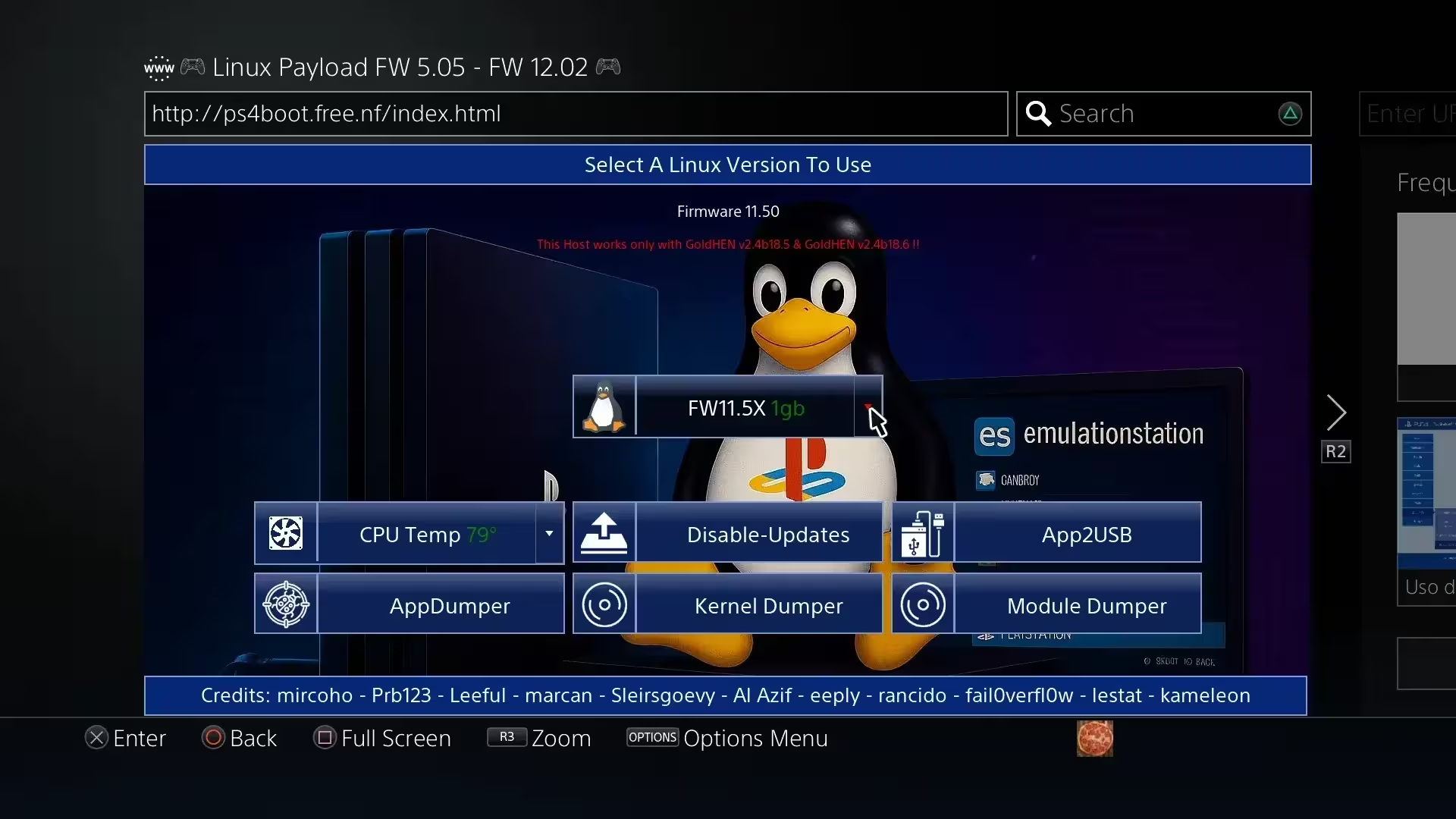
Even though this website is probably not maintained anymore it'll stay here, as the newer website doesn't work on low firmwares.
- ps4boot.github.io (5.05/6.72/9.60) (Webkit method)
- ps4boot.free.nf (5.05-12.02) (GoldHEN method, works only with HTTP not HTTPS)
TIP
If you wanna use it as a server you have to make a vram.txt file where the kernel and initramfs is and type 128 mb, lower values will cause display issues.
If the website doesn't work, use the Payload Guest local method below.
Local payloads
If you so desire, or you can't launch it from the web browser for some reason, it's possible to load these payloads locally.
In order to do that, you need to download them here.
Local payloads setup
- Install "Payload Guest" or similar app on your PS4 to load the payloads locally
- Using the
.elfseems to lead to a higher success rate when launching,.elfpayloads can be loaded with via netcat. - Enable "see file extensions" on Windows Explorer or whatever file manager you are using.
- Using the
- Put the files in the
/data/payloads/directory - Remember to check here sometimes to see if there's any updates
Installation commands
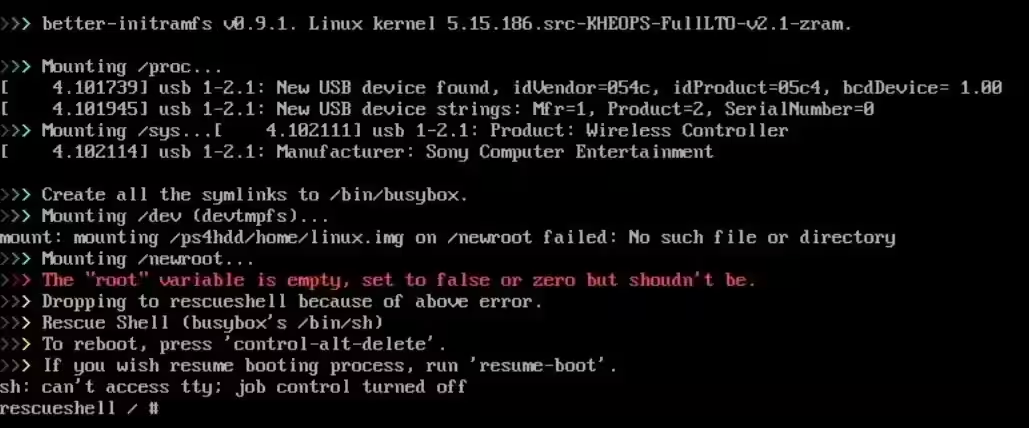
Now that the storage is covered, here comes the moment of truth. You'll be sent to the Rescue Shell, which will look like this:
- Type
install-linux-hdd.shorlinux-install-hdd.sh - Type how much storage you want to use for the installation
- Check how much free space you have, don't fill up your drive as the PS4 will only report the used amount of space inside the partition, and not the total partition size!
- If it fails, check your initramfs, or go to the Installation Issues
It should already boot into the desktop. If it doesn't, run:
bash
resume-boot